Meta Pixel Code

Get your ₹40,000 Ad credits. Create your first campaign to redeem your Ad credits.

How Popbrain Works

Popbrain is a self-serve, pay-per-click platform that places your ads inside content from vetted social media creators. Here is what happens between sign-up and your first verified click.

The model in one paragraph

Popbrain replaces media buying and manual influencer outreach with one campaign flow. You describe the brand, pick a goal and set the price you will pay for a click. The matching engine selects creators whose niche and audience fit that brief, they publish native content carrying your tracked link, and every click is screened for fraud before it is billed. You pay only for clicks that pass, at or below your CPC.

1.

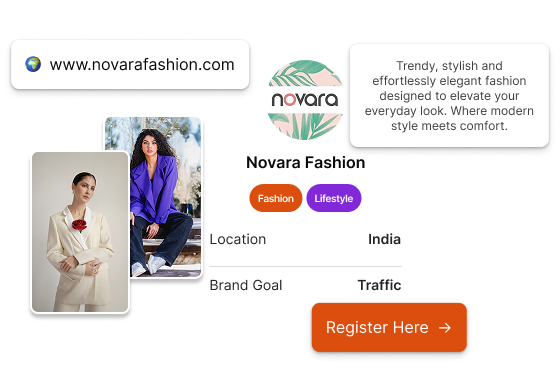
Set Up Your Advertiser Profile

Create an account with your email, then add your brand name, website or app, industry and billing details. The matching engine reads this profile first, so a precise profile means a closer creator fit.

  • Company details, a website or app store link, and GST or billing information.
  • Account verification and a saved payment method, both checked before a campaign is approved.
Set Up Your Advertiser Profile

2.

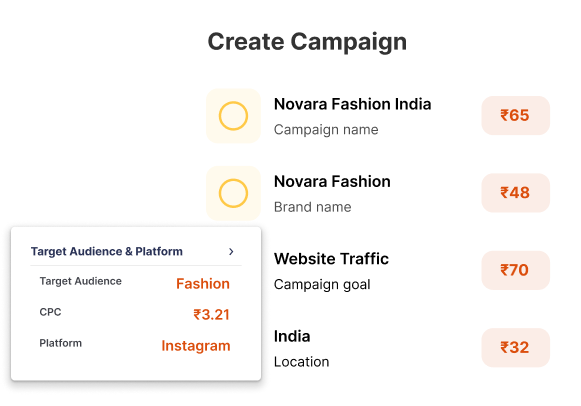
Create Your Campaign

Choose one objective per campaign: verified leads, high-intent traffic, app installs or sales conversions. Set the destination URL, target geography and audience, and upload the creative that creators will build their content around.

  • Image or video creative in the supported dimensions, plus a headline and call to action.
  • Targeting by location, platform and audience interest; creators are matched to these settings, not picked by hand.
Create Your Campaign

3.

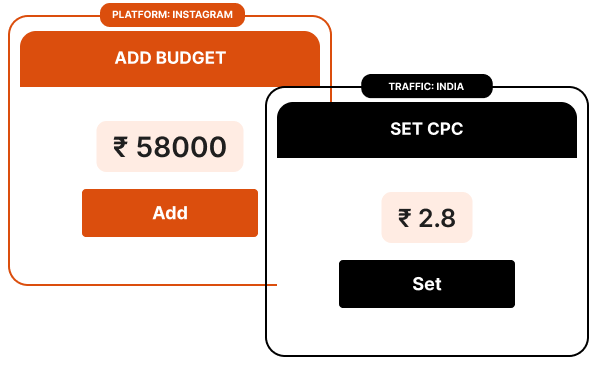
Set Your Budget and CPC

Decide the total and daily budget, then the maximum you will pay for one valid click. Popbrain runs on pay-per-click, so your CPC caps the cost per visitor and there is no impression or placement fee.

  • Daily and overall budgets can be changed from the dashboard while the campaign runs.
  • A minimum CPC may apply depending on campaign type and audience; the setup page shows the current floor.
  • Nothing is charged until the campaign is approved and live; a rejected campaign leaves the budget untouched.
Set Your Budget and CPC

4.

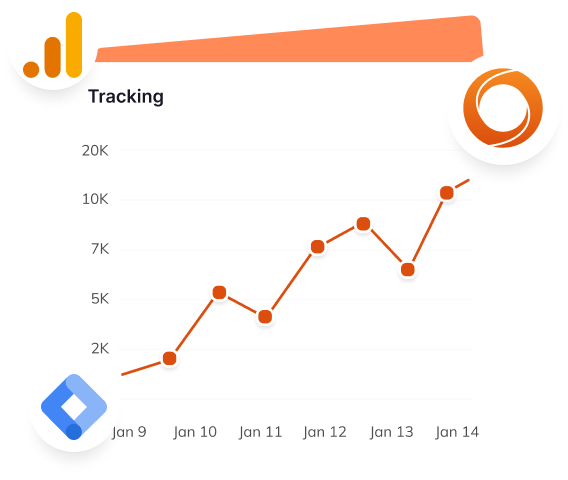
Enable Tracking and Attribution

Install the Popbrain Pixel on your site, or add it through Google Tag Manager, so clicks can be tied to sign-ups, purchases or installs. Without it you see clicks and impressions; with it you see which creators drive conversions.

  • The Pixel is a single script; the Google Tag Manager route needs no code change.
  • Every creator's link is tagged, so conversions are attributed per creator, not only per campaign.
  • Only Popbrain-approved tracking tools are permitted, which keeps attribution consistent for every advertiser.
Enable Tracking and Attribution

5.

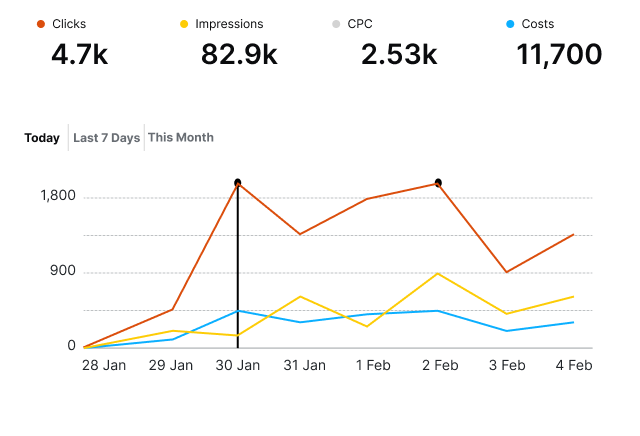
Monitor Performance and Optimize

Once live, the matching engine assigns creators whose niche, follower count, engagement rate and audience demographics fit your brief. Creators publish, clicks arrive, and the dashboard updates spend, CTR, CPC and conversions in real time.

  • A creator leaderboard shows clicks and cost per creator, so you know who is driving results.
  • Invalid clicks are detected and blocked by Azure OpenAI based models before they reach your bill.
  • Adjust CPC, budget or creative at any time; significant creative edits go through a short re-approval.
Monitor Performance and Optimize

Questions advertisers ask before their first campaign

The full FAQ covers around 200 questions. Read the full FAQ.

What counts as a verified click?

A click that passes Popbrain's fraud screening. Bot traffic, repeated clicks from one device and other invalid patterns are filtered by Azure OpenAI based detection, and only clicks that pass are billed. On one published campaign, 74.8% of raw traffic was blocked.

How does Popbrain choose which creators promote my campaign?

Automatically. The algorithm scores creators on niche, follower count, engagement rate and audience demographics against your campaign settings. You cannot hand-pick or reject creators, but you can see each one's clicks and cost, and any number can join within your budget.

When am I charged, and for what?

Only after a campaign is approved and running, and only for valid clicks at or below your CPC. There are no impression fees or hidden charges; taxes such as GST follow your billing details.

How long does campaign approval take?

Usually 24 to 48 hours. Missing payment details or an unverified profile are the usual causes of delay. A rejected campaign comes back with the reason, can be edited and resubmitted, and is not charged.

Is there a minimum spend?

A minimum budget or CPC may apply depending on the campaign type; the setup page shows the current values. There is no long-term contract, and any fee beyond the cost per click is shown before you launch.

Start Your First Performance Campaign With Popbrain

Launch Campaign